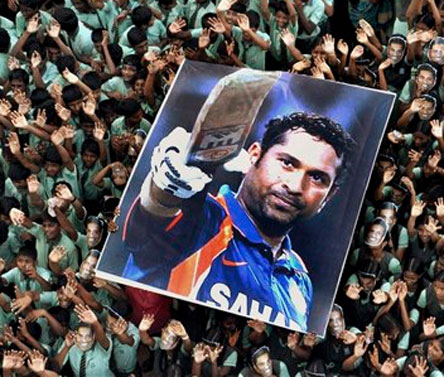
/india-vs-pakistan.

india-vs-pakistan.

sachin-tendulkar-man-who-became-god.

sachin-tendulkar-man-who-became-god

india-vs-england-2012-2nd-t20i-preview.

india-vs-england-2012-2nd-t20i-preview.

sehwag-gambhirs-smug-overconfidence.

sehwag-gambhirs-smug-overconfidence.

all-proteas-players-to-be-given-game.

all-proteas-players-to-be-given-game.

Thursday, June 27, 2013

Why Blogger has better SEO options than any other free platforms or services.

While choosing a perfect blogging platform people always questions about on thing,does it is better for SEO?The half of the world prefers Blogger while the rest recommends wordpress but ultimately both has their own pros and cons.People always think Blogger is not a suitable platform to create a professional website,mainly because it does not provide flexible options to optimize you r site for SEO.What most people don't know is that blogger is probably the simplest and most powerful platform and it also had decent SEO score.In this article,we will provide an in-depth detail why blogger is better than wordpress or any other free platforms in terms of SEO?
What options does blogger offers for SEO?
By default, blogger provides constructive permalinks.In spite of all this,blogger also offers a robust option to choose custom URL for your posts. you can choose select few keywords and can use them in your URLs so that it can generate decent organic traffic from search engine.However, keep in mind stuffing your permalinks with many keywords would decrease the weightage of your keywords altogether.The more keywords you will add in the permalinks,the less will be the keyword weight and hence ,its relevancy would be lower in the searchresults.
Write fresh content :
Writing fresh and unique articles is another way to divert the attention of your visitors.Now you might be thinking how a piece of content would help you in ranking?Why people always prefer to write fresh and high quality content?

How to create short URLs for your blog using google shortener and you use and create Google URL shortener.

With the rise in the social media,we are continuously seeing people are giving more significance or important to branding.The branding starts from the facebook Cover,personalized twitter background,but that's not all.While sharing anything on their social profile most of the top companies always prefer small URLs instead of long Tail URLs.If your site is hosted at Blogger.com,then we have good news for you.To get a slim small URLs for your content,There is no need to rely on third party URL shorting services.You know that google is providing this facility to us for free that does the job quite brilliantly.Here in this article we are going to know How to create Short URLs for the Blogger.com or blogspots?


Why to use the Google URL Shortener?
People often share lots of links online .With character limits in tweets.You do not get enough room to say what's in your mind.In this situation.Small URLs provides you the room to express your thoughts within the same status update or tweet.Following are the goodness of the service.
  • Stability-One of the most reliable services with almost 100% uptime
  • Speed-With high speed google server,it loads URLs quicker  than any other services.
  • Security-Sends warning and notification if URLs point to malware or phishing or spam website.
  • Analytics-Not only tracks the number of clicks on your link but also provide the geographical details or the users.
How to create Short URLs with google URL shortener?
  • First log in to your gmail account.
  • Then open a new tab and type:goo.gl/QoSaR.
  • Here is open google shortener and paste the link
  • You will automatically redirected on the Long URL that you just shorten few moments a go.

Wednesday, June 26, 2013

How to choose a perfect title for blogger blog or website.

You are starting your blog.You have some title or your blog website name appears their.What to do now,You have to write that tittle for which your website is related for as for example:your website is for songs and you want that peoples comes in your website and download all language songs.Then you have to put your name as Songs download,Bollywood Songs and all languages songs.Your website comes in search engine in a good rank,If your tittle is not perfect please correct it now.
You see some pictures related with where you write tittle in blogger:
  • open blogger.com
  • On left side there is a button New blog
  • Click on new blog then there is some content like this

Why we use blogger for making money for popularity for giving knowledge to others.

Blogger is becoming so famous out of these days.There are many peoples who joined blogger and work.Some peoples have also want to make money that is why they join blogger.com.
Many of blogger are also posting that things which gives other knowledge they are not think about money only proceed their work.If you only think of your work then money is absolutely come for you.
Blogger is such a way who gives you knowledge by yourself earn money with yourself.
There are more than 40,000 bloggers in this world who work in Blogger.In which some of them was not able to make money and in same case some of them are able to make money for their original content.If you are copy and pasting content to your website your site traffic and site rate is going down.If you are posting your original content then google will provide you to make money online.
If your website traffic is high then its time to earn money and also to become famous.
How should you make money from your website.

  • First you have your gmail account .
  • Sign in your gmail account .
  • In upward side there is more button .
  • Click more button. 
  • Then blogger found there.
  • sign in to your blogger account password is same as you use in gmail account.
  • Make blog and start posting your original content.

How to Add a HTML5 Music Player with Playlist in Blogger

How to Add a HTML5 Music Player with Playlist in Blogger

Installing HTML5 Music Player in Blogger:

The first thing you should do is to Login into your Blogger Dashboard through your Google account. After logging into your account, from the list of your blogs, select that blog on which you want to install HTML5 Music Player. Now go to Template >> Edit HTML and search for the ending </head> Tag. After finding the tag, just above it paste the following code.
<link href='http://fonts.googleapis.com/css?family=Open+Sans:400' rel='stylesheet' type='text/css'/>

<link href="https://googledrive.com/host/0B0WJjcJEFNziLXFVNjE1Mms2VkU" rel="stylesheet"></link>

<script type="text/javascript" src="http://ajax.googleapis.com/ajax/libs/jquery/1.10.1/jquery.js"></script>

<script type="text/javascript" src="http://ajax.googleapis.com/ajax/libs/jqueryui/1.10.3/jquery-ui.min.js"></script>

<script src="https://googledrive.com/host/0B0WJjcJEFNziYXRYUFZEVkRNaTA" type="text/javascript"></script>

Once the whole thing is done, it is the period to save your template. Just press the “Save Template” button situated on the top right corner of your monitor screen. Now move to the next step ahead.

Adding HTML 5 Music Player in Blogger:

The next thing is to add the HTML5 music player either in your sidebar or into specific page/posts on your site. This entirely depends on your needs, whether you want it into your sidebar, posts, pages or anywhere else. It would work perfectly well everywhere. Follow the following instructions properly.

Go to Blogger >> Layout >> Add a Gadget >> Add HTML/JavaScript and just paste the following code into the HTML Text Box. Now you probably want to customize your Music player so before we save the gadget lets learn how you can customize it. For example, Changing, Music, Covers and etc.
<div class="mbl">
<div class="mbl_player" id="mnplp">
<div class="mbl_art_bg"></div>
<img class="mbl_cover" src="" alt=""/>
<span class="mnpl_title"></span>
<span class="mnpl_author"></span>

<div class="mnpl_volume_min"></div>
<div class="mnpl_volume"></div>
<div class="mbl_volume_max"></div>

<div class="mnpl_toolbar">
<div class="mnpl_tlb_prev"></div>
<div class="mnpl_tlb_stop"></div>
<div class="mnpl_tlb_next"></div>
<div class="mnpl_current"></div>
<div class="mnpl_long"></div>
<div class="mnpl_all"></div>
</div>

<div class="mbl_playlist">
</div>
</div>
</div>

<script type="text/javascript">
$(function(){
$('#mnplp').mnplp({
'volume': 80,
'playlist':[
{"title":"Track-Name", "author":"Author-Name", "cover":"thumb-image.jpg", "background":"cover-image.jpg", "mfile":"music.mp3"},

{"title":"Track-Name", "author":"Author-Name", "cover":"thumb-image.jpg", "background":"cover-image.jpg", "mfile":"music.mp3"},

{"title":"Track-Name", "author":"Author-Name", "cover":"thumb-image.jpg", "background":"cover-image.jpg", "mfile":"music.mp3"},

{"title":"Track-Name", "author":"Author-Name", "cover":"thumb-image.jpg", "background":"cover-image.jpg", "mfile":"music.mp3"},

{"title":"Track-Name", "author":"Author-Name", "cover":"thumb-image.jpg", "background":"cover-image.jpg", "mfile":"music.mp3"}
]
});
});
</script>

Customization:
  1. title: Represents the title of your music or song. 
  2. mfile: It represents the music file in .mp3 extension 
  3. author: The name of the person who composed the music.
  4. cover: Cover thumb image that appears when the song is playing.
  5. background: The image that appears in the background of the music player.
Congratulations: After customizing, press "Save" button located at the bottom of the window. Now, go and check your site. I am pretty sure your site would rock now. Let us know about your thoughts on this amazing gadget.

We expect that you have adored and learned how to add HTML5 Music Player with Playlist in Blogger. This gadget is tremendously robust and takes second to load, so it is understandable that it would not affect your site speed at all. Let us know what you think about it. 

Gamer City z

Free for your eye videos