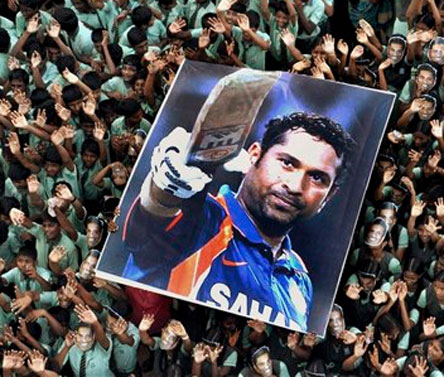
/india-vs-pakistan.

india-vs-pakistan.

sachin-tendulkar-man-who-became-god.

sachin-tendulkar-man-who-became-god

india-vs-england-2012-2nd-t20i-preview.

india-vs-england-2012-2nd-t20i-preview.

sehwag-gambhirs-smug-overconfidence.

sehwag-gambhirs-smug-overconfidence.

all-proteas-players-to-be-given-game.

all-proteas-players-to-be-given-game.

Monday, July 22, 2013

Download free Radja - Responsive Blogger Templates.


Radja Blogger Template Features

  • Responsive Design
  • Manual Featured Post from Image Widget (Slideshow)
  • Support Advance Editor
  • Lightweight Auto read-more (support third party image, and Youtube Thumbnail)
  • Ajax load more post and Page Navigation
  • Cool blogger threaded comment (Support Google+ Comment)
  • JSON Search Result
  • Slider/vertical Ajax Recent Post by Tag
  • Recent Comment Widget
  • Related Post Widget
  • Optimize SEO
  • Tabs Widget Ready
  • Emoticon
  • Compatible with major browsers (IE8+,Mozilla,Chrome,Safari)
  • Custom Error 404 Page
  • Professional admin layout, help you easy work with blog layout.

Log on to Flash

What is Flash?
Flash is an animation software package.Flash provides as versatile and easy way to create animation.We can make any object in Flash with animation and make movies with sound and action.Flash is one of the most popular technologies on the Internet because it does not require programming skills.The animations and graphics created in Flash can be scaled to any size without losing clarity and quality.

How to start?
To start Flash,follow these steps:
Step 1 : Click on start button
Step 2 : Choose All Programs
Step 3 : Click on Macromedia
Step 4 : Select Macromedia Flash 8

The opening screen appears.
Select the Flash Document under Create
New section to open a file.


The Flash Workspace
The stage:This is the rectangular workspace area where we place our contents or create our drawings or movie.By default,the Stage size in flash is 550*400 pixels.
Menu: The Menu contains controls for common functions and commands such as opening and saving files etc.
The Tools Panel: It contains set of tools to draw,paint,select,and modify objects in the workspace.
Timeline: Timeline is a fixed window that stays on top of every object in the workspace.This is the area where graphics and elements are assembled in sequential order allowing the user to view the order of events in sequence.
The Properties Panel: 
The Properties Panel is a combination of various elements used for changing the settings like the stage size,the ruler unit,the background colour of the stage and the Frame rate.

If the Properties Panel is not visible,then we can select the Windows>Properties>Properties option 

Sunday, July 21, 2013

NEW UPCOMING PHONES/COMING SOON PHONES IN INDIA/NEW CELL PHONES/NOKIA PHONES/SAMSUNG PHONES.

New Nokia Lumia 521 review ,price details and specification.

Normal 0 false false false EN-US X-NONE X-NONE MicrosoftInternetExplorer4 Description...
Read More »

New Nokia Lumia 830 review and price information.

Normal 0 false false false EN-US X-NONE X-NONE MicrosoftInternetExplorer4
Read More »

Nokia Has made a windows tablet review.

Nokia-made Windows tablet spotted in the wild: At first, it...
Read More »

New Nokia Lumia 1020 Review.


Nokia Lumia 1020 leaked ahead of New York launch Nokia...

Read More »

ing posts with label samsung. Show all posts

Samsung Galaxy Quattro price details and product specification.

Product Features Powerful Performance11.9cms Large display is a great showcase,...
Read More »

Samsung Galaxy Note 510 price details and product specification.

 Perfect Size for on the go Reading Mode with S...
Read More »

New Samsung Galaxy Tab 3 211 and 311 review and first look with price details and specification.

Galaxy Tab 3 211 and 311 At the Samsung event...
Read More »


Samsung Galaxy S4 mini and Samsung Galaxy S4 Zoom review.

Samsung launches Galaxy S4 mini and S4 Zoom at Rs....
Read More »

Google's latest Android 4"Ice Cream Sandwich OS to the Samsung Galaxy Wave S8500 Review.

The hacking community is constantly engaged in pushing hardware farther...

Metro Last Light download game full version free.

Metro the last night is one of the best game recommend to you .This game is taking out tremendous world class gaming. We have to take advantages of this game by downloading this game.


Your guide to success with AdSense tips and get approval as sign up.

Your guide to success with AdSense
Dear publisher,

"Your guide to success with AdSense" is a 4-part email series created to help you get the most out of AdSense. Each week we’ll give you useful tips about AdSense program policies, payments, optimization and help resources. We recommend that you read and implement the tips in order to set up and run a successful AdSense account.
Program policies
As you know, all publishers need to read and agree to our online Terms and Conditions before joining the AdSense program. However, it's very important not just to read our policies, but also to understand how they apply to your website. If you haven't already done so, please familiarize yourself with ourprogram policies to ensure long-term revenue growth and a healthy account.
Choose your payment method and enter your tax information
After your earnings reach the payment threshold, you'll be able to select a form of payment. Available payment options may vary depending on your payment address. The best way to find out which options are available to you is to visit the "Account settings" page in your AdSense account and in the payment section, click "edit payment method"

Depending on your location, we may be required to collect tax-related information from you. Please check if your are required to provide tax information.
Opt in to show both text and image ads
We recommend ensuring that your ad units can show both text and image ads. Image ads compete in the same auction for your ad space than text ads do, so choosing to display both types of ads will increase the competition for ads to appear on your site. This can help you earn more from your ad space.

To enable both text and image ads, please sign in to your AdSense account and visit the “My ads” tab.

    For new ad units: Click "New ad unit" and in the ad type section, set your preference for this ad unit on “Text and image/rich media ads”
    For existing ad units: Select all ad units within the "My ads" section in your account. From the Actions drop-down menu, edit ad type to "Text and image/rich media ads"

Opt in to receive AdSense optimization tips and updates via email
Make sure you're opted in to receive occasional emails from us with personalized performance suggestions to help you earn more, opportunities to test new features, and invitations to special events.

To change your email preferences, please follow the given instructions.
Thank you for reading the first part of "Your guide to success with AdSense"!

In next week's issue you'll read about:

    Quality websites and unique content
    Verify your address with a PIN
    Set up custom channels and turn them into targetable ad placements
    Find your answers in the AdSense Help Cente

Gamer City z

Free for your eye videos